Latest News |
||
|
The latest news and information concerning the SiteTrust Network can be viewed here.
Use the navigation links at the bottom of the page to view older news items.
Topics
- All Topics - Alert [7] - Development [18] - Miscellaneous [4] - New Feature [24] - System Outages [9]
Months
|
Apr 07 2009 :: Membership Alert: imfunders.comimfunders.com displays a SiteTrust Network trust seal image but their membership was previously revoked for not complying to SiteTrust Network standards. We recommend that you do not conduct business with this merchant.
Feb 27 2009 :: SCAM ALERT: hgh.com and humangrowthhormones.comThe websites hgh.com and humangrowthhormones.com display a SiteTrust Network trust seal image but these domains were never approved by the SiteTrust Network. We believe that these two stores are potentially scams. Do not make purchases from either store.
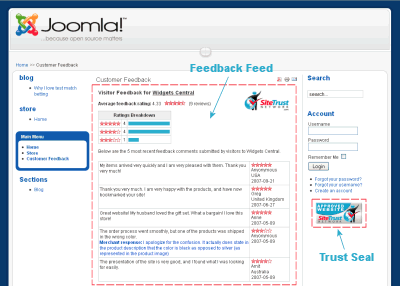
Dec 24 2008 :: Joomla Implementation Instructions Now AvailableImplementation instructions to display a SiteTrust Network trust seal and a feedback feed on a Joomla website are now available.
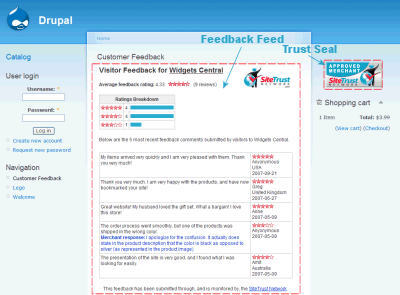
Instructions for other e-commerce software and content management systems can be found in the Modules section [login required]. Dec 23 2008 :: Drupal Implementation Instructions Now AvailableImplementation instructions to display a SiteTrust Network trust seal and a feedback feed on a Drupal website are now available.
Instructions for other e-commerce software and content management systems can be found in the Modules section [login required]. Dec 01 2008 :: Website Thumbnail UpdatesSiteTrust Network members now have the ability to update website thumbnails that are out of date. Nov 21 2008 :: Site RedesignThe SiteTrust Network website has undergone a cosmetic makeover, with a new design applied to the website. The changes are intended to provide a more contemporary look and feel to the service.
Nov 14 2008 :: Pinnacle Cart Implementation Instructions Now Available
Nov 13 2008 :: New Dynamic Trust Seal ImagesThe SiteTrust Network is pleased to announce the release of 'Within Image' dynamic trust seal images. Unlike their predecessors, these images display validation text and customer feedback ratings within the seal image rather than below it.
To obtain the new dynamic image HTML code, go to the Trust Seal Code section of your member account and click on 'Dynamic Image Code'. Contact support if you require assistance setting up a dynamic seal. | |
 |
 |
 |
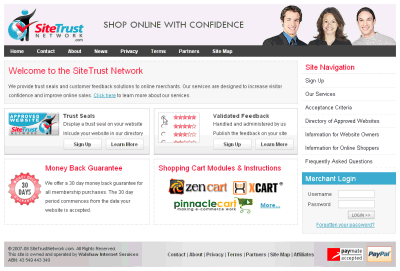
 Implementation instructions to display a SiteTrust Network trust seal and a feedback feed on a Pinnacle Cart store are now available.